Broluna Google Slide Template
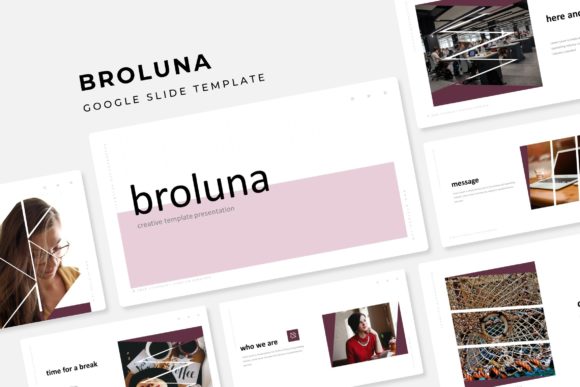
The Broluna Google Slide Template is a versatile and professional presentation tool designed to meet the needs of modern creators, educators, and professionals. With 150 total slides across five premade color themes, this template offers a comprehensive solution for anyone looking to create visually appealing and engaging presentations. Whether you're preparing a business pitch, teaching a class, or showcasing your work, Broluna provides the structure and style needed to make your message stand out.
Key Features of Broluna Google Slide Template
The Broluna Google Slide Template is packed with features that make it a powerful choice for presenters. Each of the five color variations includes 30 slides, giving you a wide range of options to choose from depending on your project's aesthetic. The design is handcrafted with attention to detail, ensuring that every slide looks polished and professional.
- Handcrafted Infographic in PowerPoint: Includes pre-designed infographics that are easy to customize and integrate into your presentation.
- Section Break Slides: Helps organize your content into clear sections, making your presentation easier to follow.
- Gallery and Portfolio Slides: Perfect for showcasing images, projects, or creative work in a clean and organized format.
- Resizable and Editable Graphic Picture Placeholder: Allows you to easily insert and adjust images without compromising the layout.
- Drag-and-Drop Based on Master Slides: Simplifies the process of editing and updating your presentation.
- Pixel-Perfect Illustrations: Ensures high-quality visuals that look great on any screen.
Practical Applications of Broluna Google Slide Template
The Broluna Google Slide Template is ideal for a variety of scenarios. For professionals, it can be used to create compelling business proposals, project reports, or client presentations. Its clean design and structured layout make it easy to convey complex information clearly and efficiently.
Educators can benefit from the template’s gallery and portfolio slides when presenting lesson plans, student work, or research findings. The section break slides help organize lectures and make the material more digestible for students.
Creatives such as designers, artists, and photographers can use the template to showcase their portfolios. The customizable image placeholders and infographic elements allow for a professional and cohesive presentation of their work.
Entrepreneurs and marketers can leverage the template to craft engaging pitches, product launches, or marketing campaigns. The five color variations provide flexibility to match brand aesthetics or personal preferences.
Benefits of Using Broluna Google Slide Template
One of the main advantages of the Broluna Google Slide Template is its ease of use. The drag-and-drop functionality and master slide system make it simple to edit and update your presentation without needing advanced design skills. This saves time and reduces the learning curve for users who may not be familiar with graphic design tools.
The template also enhances the visual appeal of your presentations. With pixel-perfect illustrations and a clean layout, your slides will look professional and modern. This can improve audience engagement and leave a lasting impression.
Another benefit is the ability to maintain consistency throughout your presentation. The predefined color schemes and slide structures ensure that your content remains visually aligned, which is especially important for branding and professional communication.
What’s Included in the Broluna Google Slide Template?
The Broluna Google Slide Template comes with a complete set of files to get you started right away. You’ll receive five PPTX files, each tailored for widescreen displays, ensuring compatibility with most presentation setups. The five premade color variations give you flexibility to choose the look that best suits your needs.
A detailed readme file is included to guide you through the setup and customization process. This ensures that even first-time users can navigate the template with ease. Additionally, the first font used in the template is a free download, making it accessible for all users.
It’s important to note that while the template includes placeholder images and graphics, the actual photographs or pictures used in the preview are not included. These are for illustration purposes only, allowing you to replace them with your own content as needed.
Recommendations for Using Broluna Google Slide Template
When using the Broluna Google Slide Template, start by selecting a color theme that aligns with your project’s goals or brand identity. This sets the tone for your entire presentation and helps maintain a cohesive look.
Take advantage of the section break slides to divide your content into logical segments. This improves clarity and makes it easier for your audience to follow along. Use the gallery and portfolio slides to highlight key points or visual elements that support your message.
Customize the graphic picture placeholders with relevant images that enhance your content. Be sure to resize and position them properly to maintain the overall balance of each slide. The drag-and-drop feature makes this process straightforward and efficient.
Finally, review your presentation for consistency in design, messaging, and flow. A well-structured and visually appealing slide deck can significantly impact how your audience receives and retains the information you present.